
Item Types#
Items are added from the add-item palette. The palette opens from the Add item button in the navigation bar, from the Insert an item here band between two cards, and from the Add the first item button in an empty section.
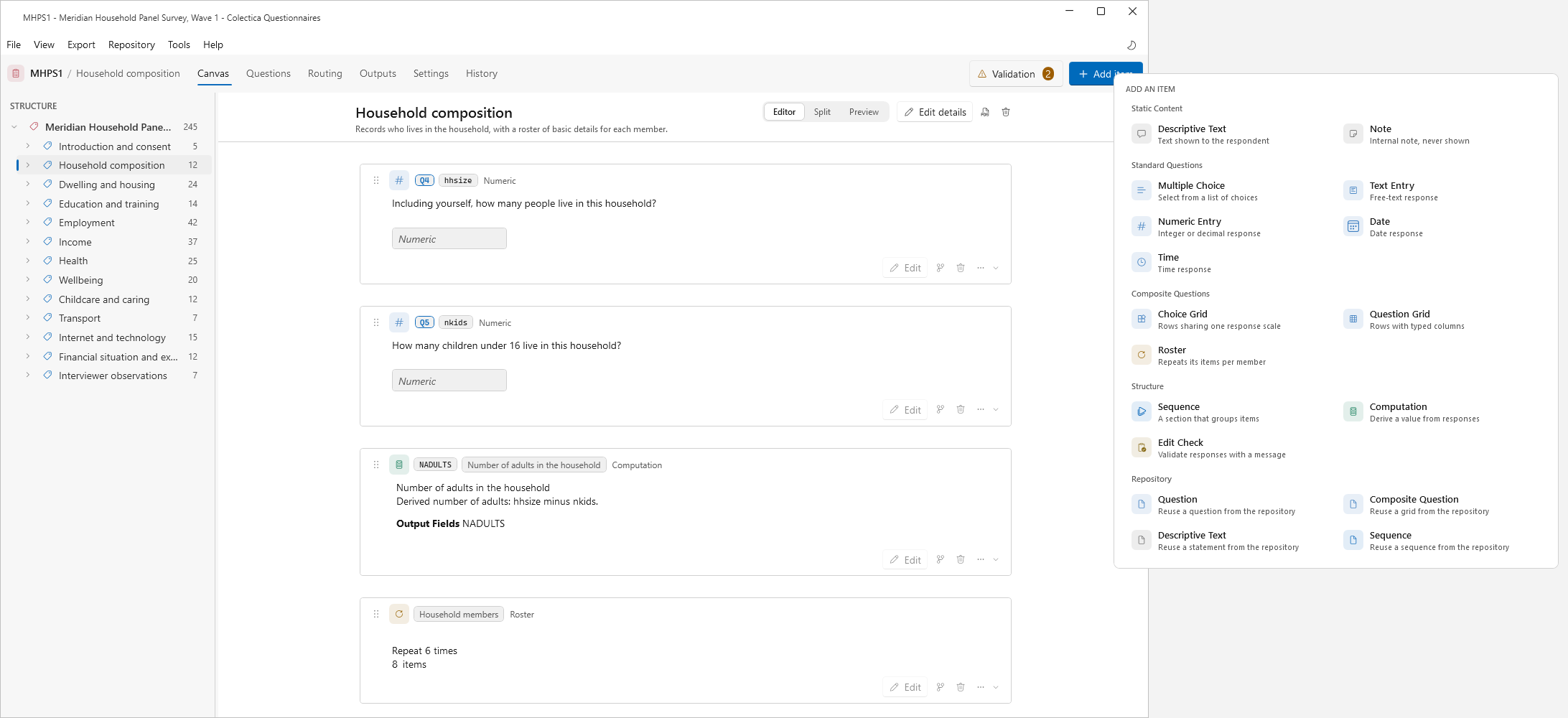
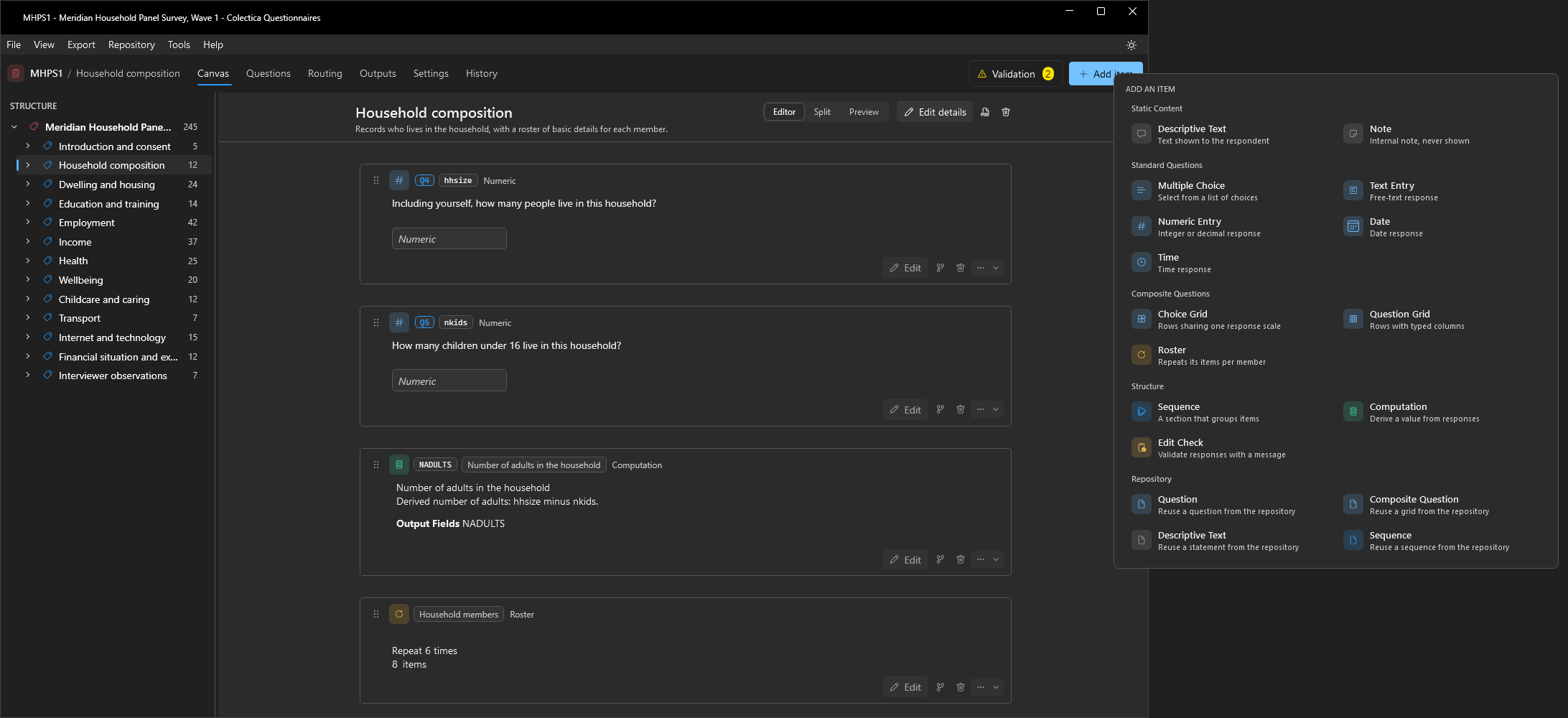
Static Content#
Item |
Description |
|---|---|
Descriptive Text |
Text shown to the respondent. |
Note |
An internal note that is never shown to the respondent. |
Standard Questions#
Item |
Description |
|---|---|
Multiple Choice |
A selection from a list of choices, backed by a code list. |
Text Entry |
A free-text response. |
Numeric Entry |
An integer or decimal response. |
Date |
A date response. |
Time |
A time response. |
Composite Questions#
Item |
Description |
|---|---|
Choice Grid |
Rows that share one response scale, such as a satisfaction battery. |
Question Grid |
Rows with typed columns, each column a text, numeric, choice, or date entry. |
Roster |
A group of items that repeats once per member, such as per household member. |
Structure#
Item |
Description |
|---|---|
Sequence |
A section that groups items. |
Computation |
Derives a value from responses. |
Edit Check |
Validates responses and shows a message when the check fails. |
Display logic is not an item type of its own. It is added to an existing item with the branch button on its card; see Display Logic and Expressions.
Repository#
The Repository group reuses existing items from a configured Colectica Repository: a Question, a Composite Question, a Descriptive Text, or a Sequence. Each opens the Question bank on that kind of item; the chosen item is inserted as a shared reference, so later versions of it can be adopted through synchronization. See Reuse Items from a Repository and Repository Dialogs.
Data Lookup#
Note
This feature is available in Blaise Colectica Questionnaires.
The Data Lookup item presents a searchable list backed by an external data file, using the Blaise 5 LOOKUP mechanism. Its editor defines the lookup’s columns and the fields the selection fills.