
Validate Answers with Edit Checks#
An edit check verifies that answers are plausible and shows a message when they are not.
Add an Edit Check#
Open the add-item palette after the questions to validate and choose Edit Check.
Open the check’s editor.
Choose the Edit Check Type: Soft asks the respondent to confirm and continue, Hard blocks until the answer is corrected.
Under Ensure the following are true, build the condition that valid answers satisfy, for example that reported hours are at most 100.
Under When not true, show this message, write the message shown on failure, in each survey language.
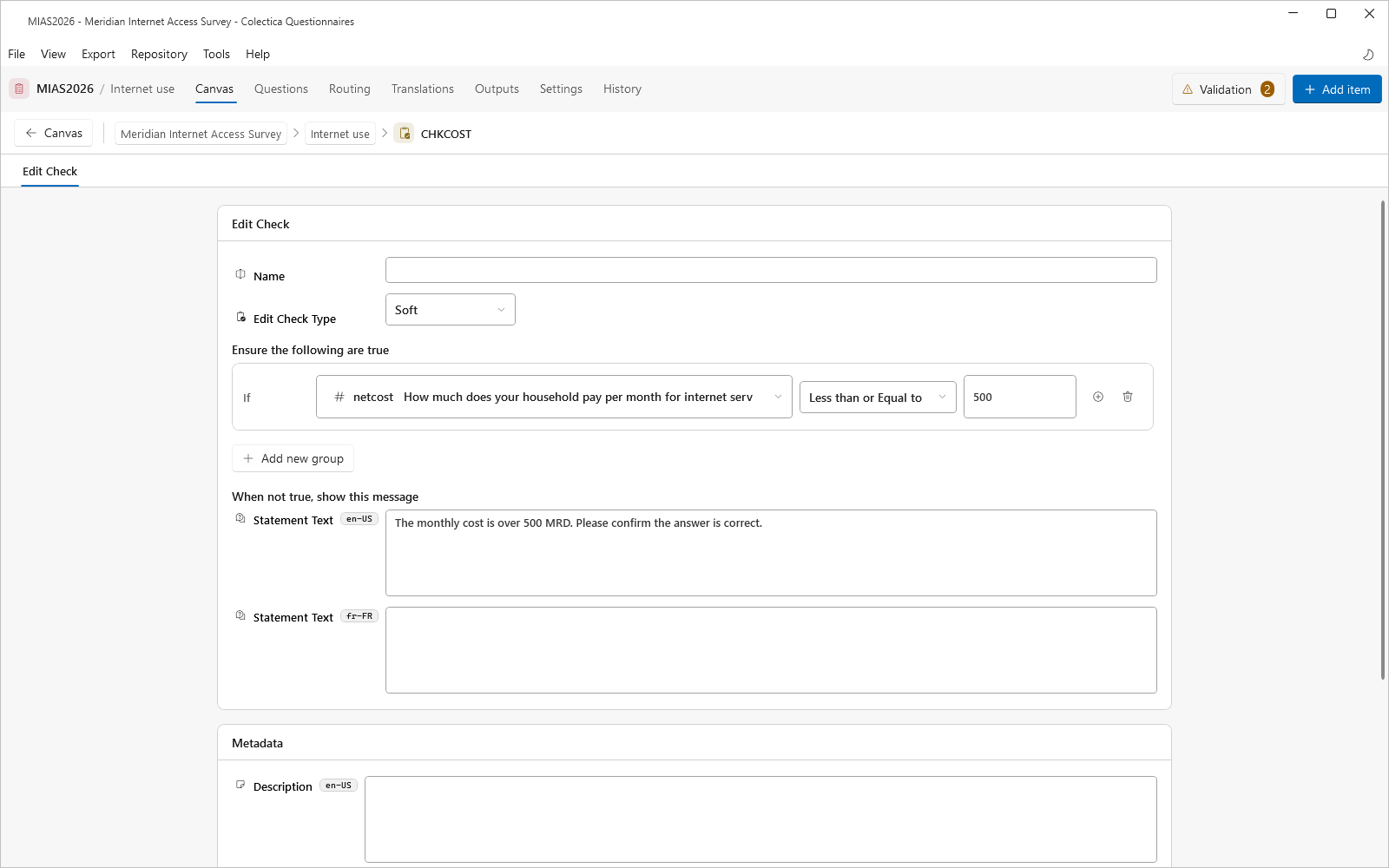
The check fires when its condition is not true and at least one referenced answer has been given.
Verify#
Switch the section to Split or Preview.
Enter an implausible answer and confirm the message appears.
See also
Display Logic and Expressions lists the operators available in the condition.