
Discuss a Survey with Comments#
Comments are discussion threads on survey items, shared through a Colectica Repository. They require a configured repository, and an item must have been published before its thread can start; see Connect to a Colectica Repository and Synchronize with a Repository.
Read and Reply#
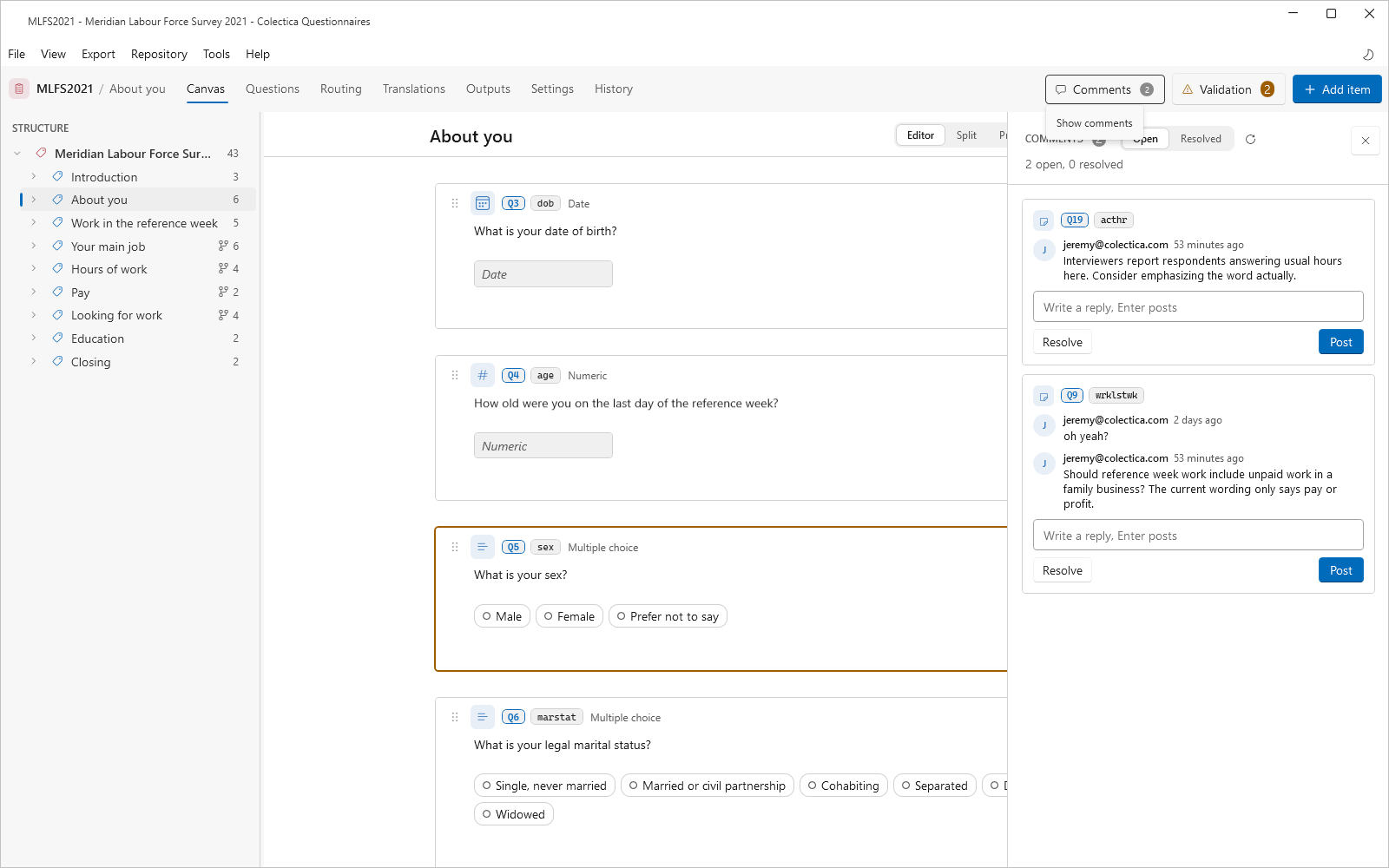
Open the comments rail with the Comments button in the navigation bar, or Tools, then Comments.
Filter with the Open and Resolved toggle; the refresh button checks the repository for new comments.
Reply in a thread’s box; click the thread’s item name to jump to the item.
Resolve a Thread#
Click Resolve on a thread when its discussion is settled.
Resolved threads stay readable under the Resolved filter, and Reopen or a new reply reopens them.
The Comments button in the navigation bar counts the open threads.
Comment on an Item#
Click the comment button on the item’s card, or on a section’s header.
Write the comment and press Enter to post; Shift+Enter starts a new line.